A table that fits you.
Columns of your choice, a resizable window and keyboard shortcuts: the inventory adapts to the way you work.

Network scanner for Mac · Wi-Fi · LAN
The local network inventory designed for the Mac: every device on your Wi-Fi or Ethernet, in a clear, customisable table, with no account at all.
OS NetScan on Mac
Four real views to inventory, understand and document a network.
1 / 4 · Network
Network
IPv4 and IPv6 addresses, MAC addresses and manufacturers, device names and types: everything is gathered in one clear table.
Choose your columns: their order, width and visibility are remembered.
Read the guide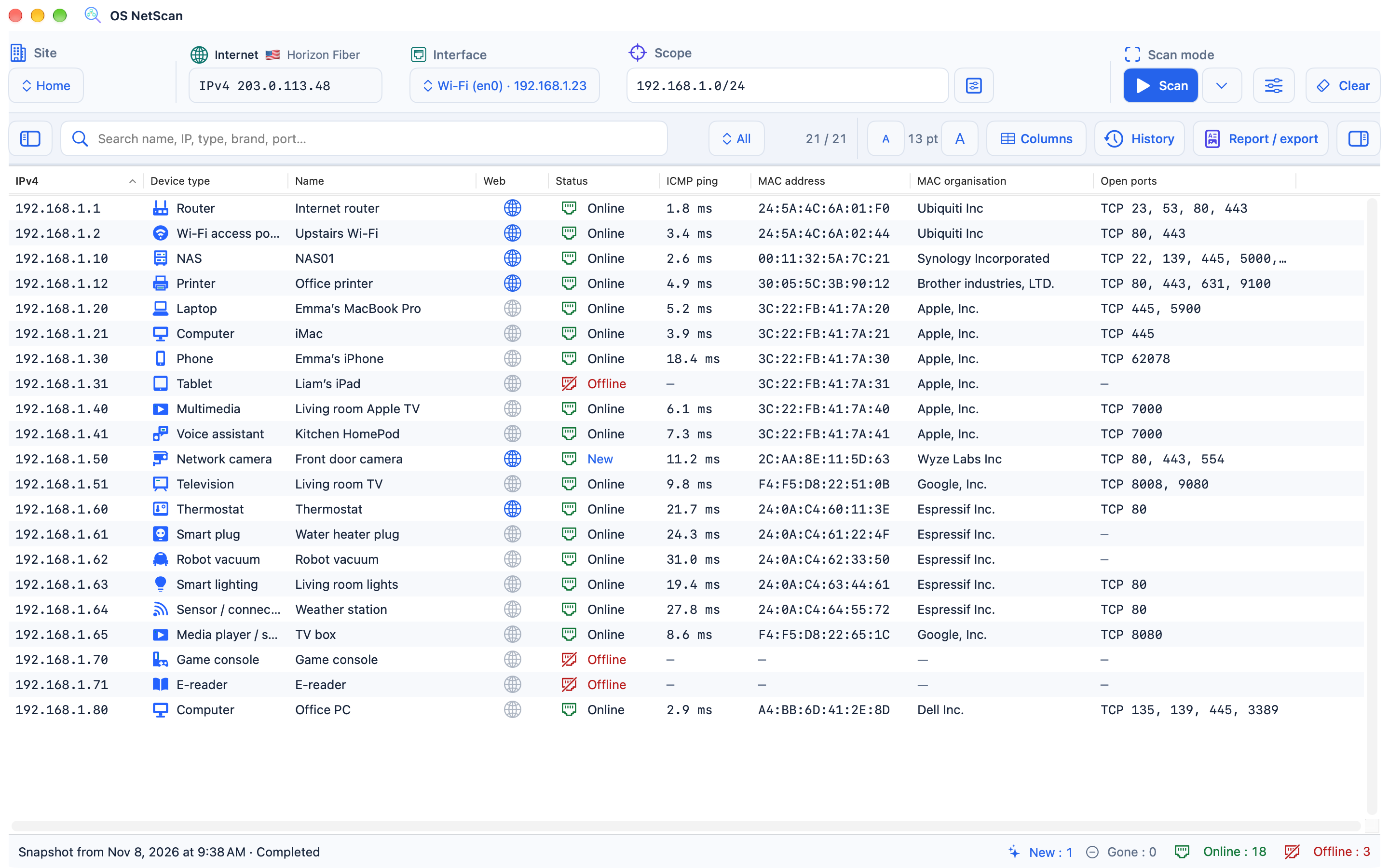
Device
Open services and ports with readable names, and verified admin web pages that open in your browser with one click.
Your own names, categories and notes are found again at the next scan.
Read the guide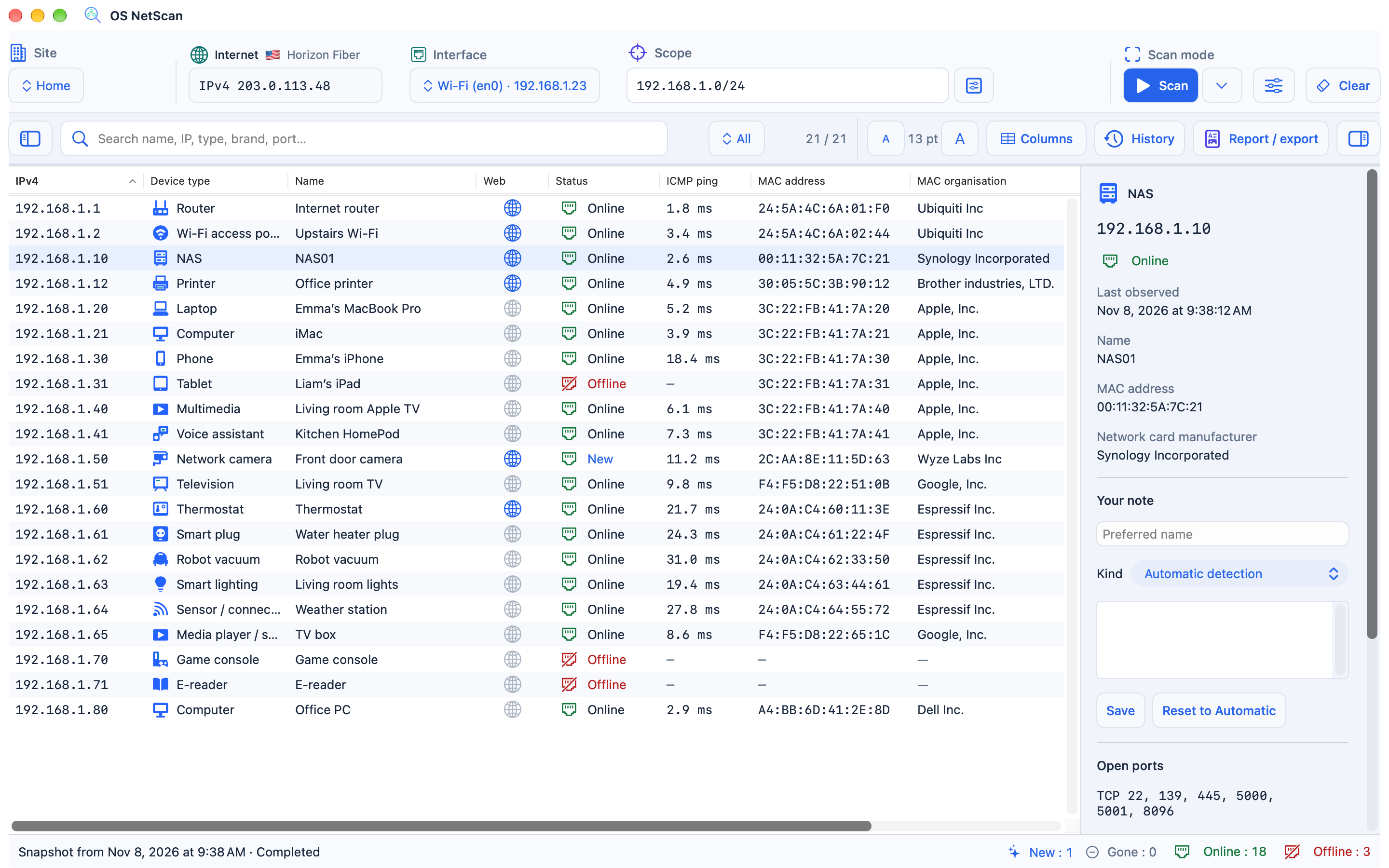
Points of attention
A sensitive service reachable on the network is flagged with an easy-to-follow recommendation.
Based on the ports and replies seen during the scan: no password is ever tried.
Read the guide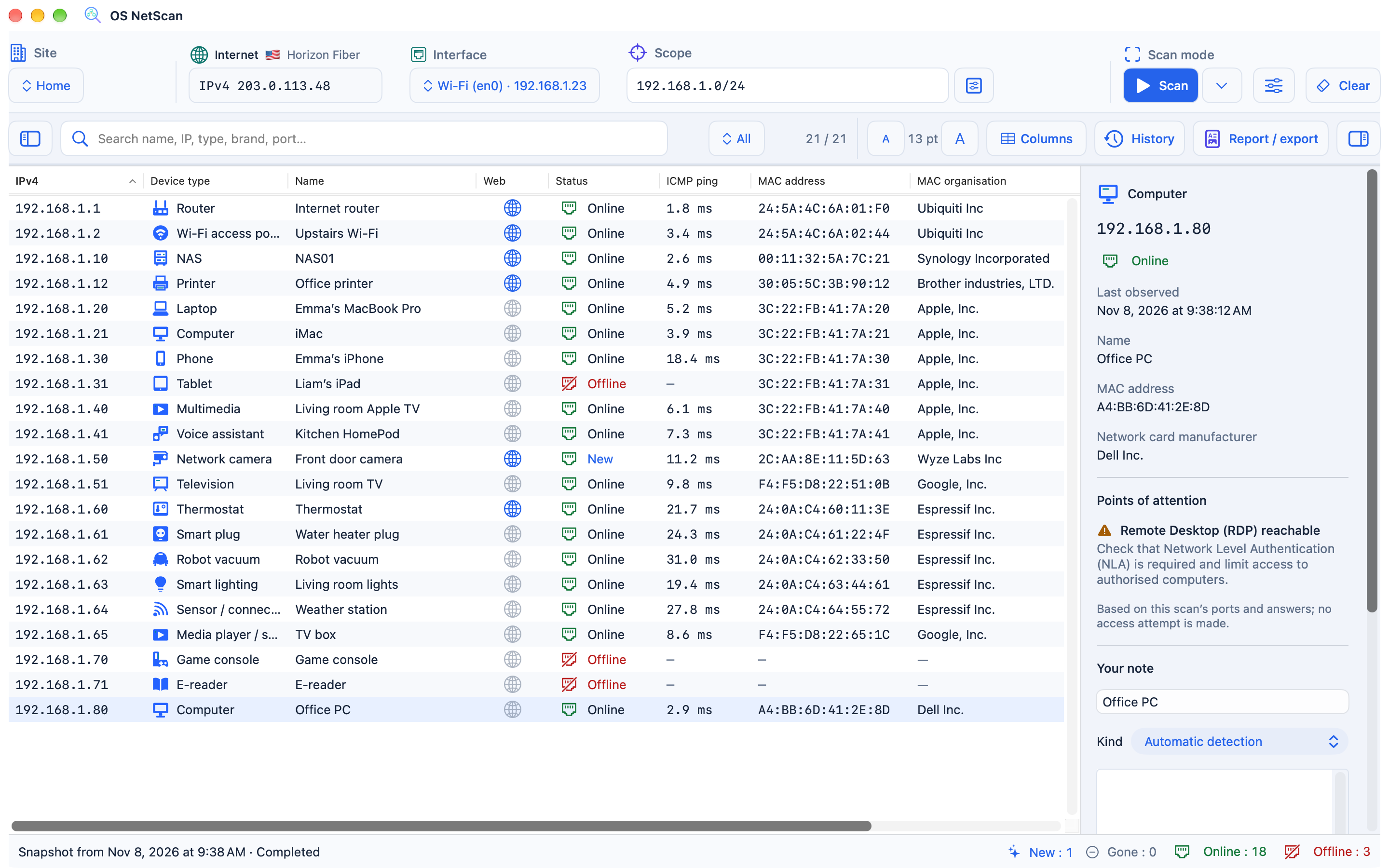
Reports
Prepare a PDF or HTML report with your name and logo, ready to send to your client.
With OS NetScan Pro.
Read the guide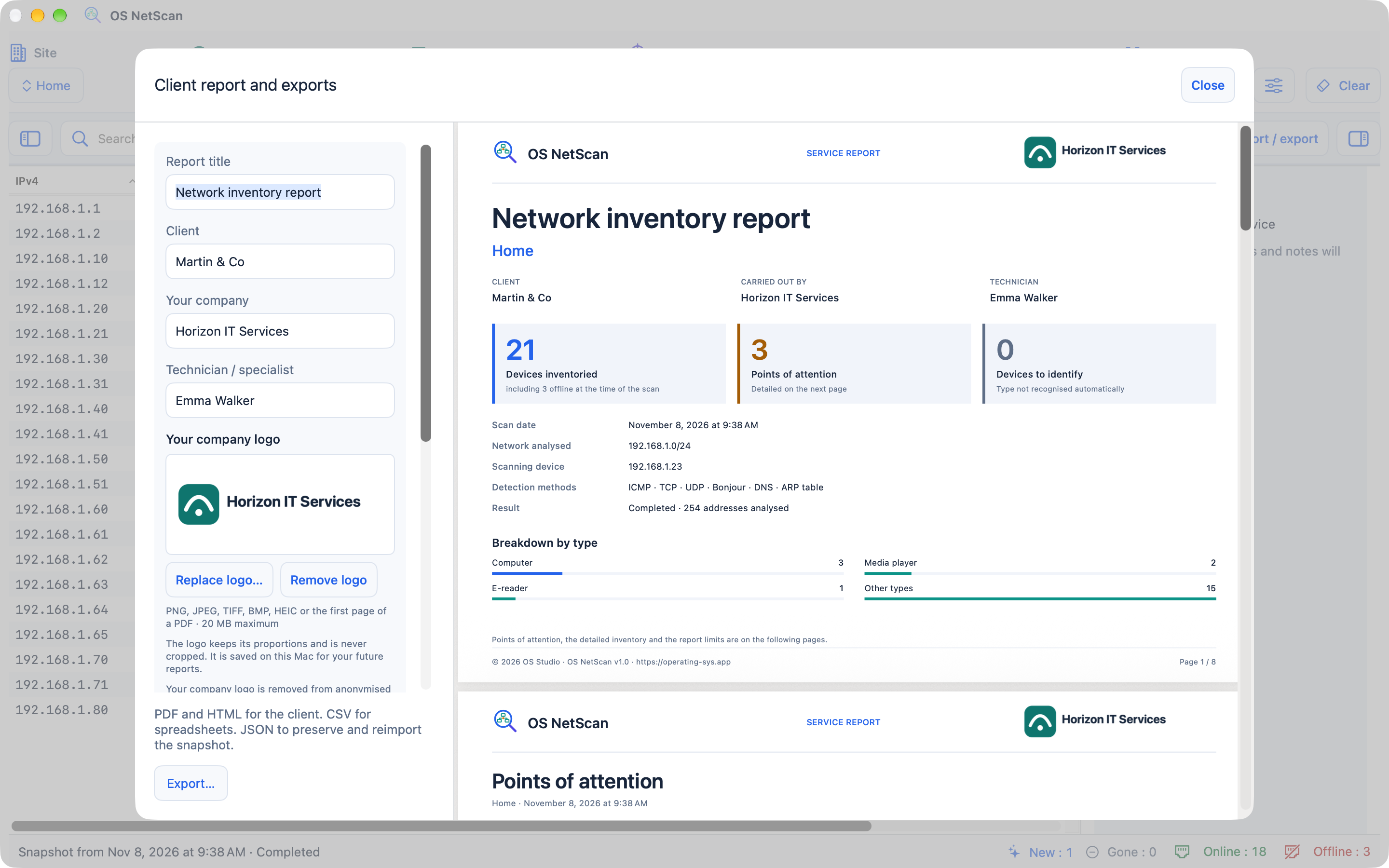
Actual screenshots of OS NetScan for Mac, on a demo network. Client reports require OS NetScan Pro.
Who it’s for
Wi-Fi · Ethernet · Mac
Columns of your choice, a resizable window and keyboard shortcuts: the inventory adapts to the way you work.
OS NetScan notifies you of new devices that appear on your network.
OS NetScan Pro works on Mac, iPhone and iPad with the same Apple Account: multiple sites, continuous scanning, comparisons and client reports.
IPv4 and IPv6 addresses, MAC address and manufacturer (built-in IEEE database of more than 54,000 prefixes, looked up on your Mac), DNS names, Bonjour, NetBIOS/SMB, UPnP, read-only SNMP and WS-Discovery. Device type and advertised model are flagged as likely or reliable.
Spotting the office printer among twenty or so devices.
Open services and ports, with readable names. Verified admin web pages, opened in your browser with one click. Your names and categories are found again at the next scan.
Sensitive services reachable on the network are flagged with a clear recommendation.
Based on the ports and replies seen during the scan: OS NetScan never tries any password.
Ping, TCP port scan, web interface search across all ports, DNS lookup and TLS certificate viewer. Your Internet connection is shown automatically: public IP address, provider and country.
Home, office, clients: each network keeps its own settings, notes and snapshots. With OS NetScan Pro, create PDF and HTML client reports with your name and logo, plus complete CSV and JSON exports.
A table with adjustable columns, a resizable window and keyboard shortcuts. New device notifications, and continuous scanning with OS NetScan Pro.
Click Scan. If macOS asks for local network access, allow it.
Devices appear as the scan runs. Select one to see its services, web pages and points of attention.
Name your devices and find every snapshot in the history. With OS NetScan Pro, share a report.
Privacy
Addresses, names, types, ports, services, captures, sites and notes stay on your Mac. No OS Studio account is required. No inventory is sent to an OS Studio server, and the Mac version contains no ad network. Nothing is installed on the devices discovered.
OS NetScan only scans the active network or the address range you choose, and never tries any password. To show your public IP address, the app queries the ipify service, or ident.me as a fallback, without any inventory data.
At your own pace
Start for free, with no ads on Mac, or move to OS NetScan Pro for large networks and client work. No free trial is offered.
€0 · no ads on Mac
€1.99/month
€9.99/year
One OS NetScan Pro subscription for iPhone, iPad and Mac. Family Sharing is not offered. If the subscription ends, your captures are kept.
Reference prices for France. The applicable price and period are shown by Apple before purchase. The subscription renews automatically unless cancelled at least 24 hours before the end of the current period, in your Apple Account settings. Manage and restore purchases: in the app’s settings.
Support
Find helpful answers, privacy information and a way to contact the studio.